
App virtualisation
Get next-generation application virtualisation and delivery for your apps with Numecent Cloudpaging™.
The problem
Whilst App-V is unbeatable for most enterprise virtualisation, there are certain types of applications that Microsoft recommend should not be virtualised using the technology. These include applications that start services at boot time, require device drivers, are part of the OS, use COM+, etc.
We’re looking for an alternative to App-V now rather than when support expires.
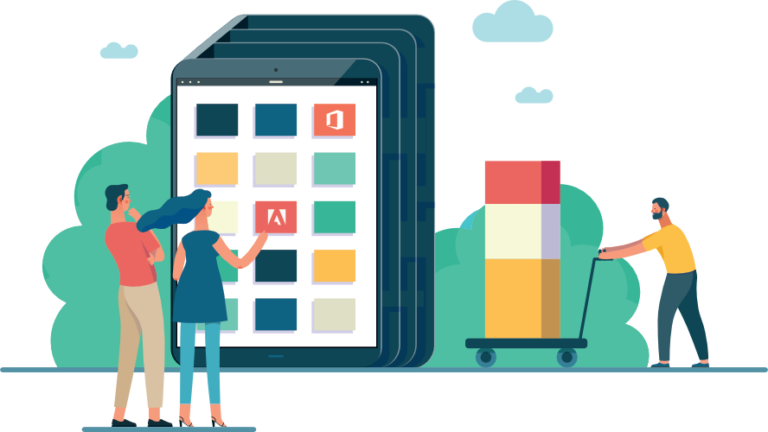
Virtualise 99.9% of your apps!
These limitations mean that you can’t fully realise the benefits of application virtualisation. Using Cloudpaging™ technology, Algiz Technology will virtualise applications that can’t be virtualised using MS App-V so that you can enjoy a fully virtualised application estate.
.
Virtualise with Cloudpaging
Cloudpaging transforms native software delivery, deployment, and provisioning to and from the cloud, datacenter, and desktop. It lets you package and deliver any Windows application to any Windows desktop – VDI, Physical, or BYOD.
Virtualise any Windows app
With Cloudpaging you can virtualise ANY Windows app, including the ‘tricky’ apps that legacy technologies like App-V and ThinApp can’t handle.
Run apps at native speeds
Virtualised apps behave as if locally installed, with no compromise on performance. That includes 3D graphics, HD content and CPU-intensive apps.
Reduce VDI costs
Application virtualisation separates apps from the OS and uses the power of the end device, so the infrastructure is a fraction of the cost of VDI!
Run virtualised apps offline
Even if your users lose connection to the server, your apps will still be available without the loss of licence control!
Dynamic updates
Application updates happen in near real-time with no need for maintenance windows. Rollbacks are instantaneous.
Security built in
Applications are encrypted, compressed, and delivered over a secure connection preventing theft, malware injection, and other security threats.

We’ll virtualise your 5 most complex apps with Cloudpaging for FREE!
Cloudpaging in three steps
The Cloudpaging system contains three components that deliver a native desktop application experience to end users without a traditional installation. The three components that work together are the Cloudpaging Studio, Server, and Player.
Create/Publish
Cloudpaging™ Studio prepares the application for automated deployment, updates, and access settings based upon the predetermined permission levels within your organization. With Cloudpaging™ Studio you can package an app for the lowest common denominator of Windows OS, and you won’t need to repackage that same app when you move operating systems.
Deliver
The Cloudpaging™ Server can be in the Cloud of your choice, or your company’s own on-premises server. Once your apps are on the Cloudpaging™ Server, your IT department can use virtually any provisioning tool, including Microsoft® SCCM, for managing application deployments and updates to your workforce on their virtual or physical devices.
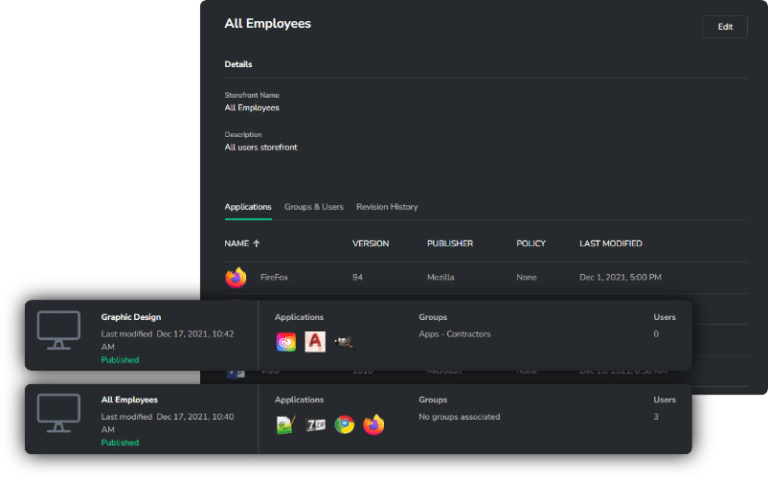
Execute
The Cloudpaging™ Player “plays” the provisioned applications on the end users’ virtual or physical devices. The Player can be configured to be visible or hidden to the end user and accessed with single-sign-on (SSO) if desired. You can keep an eye on usage and empower your employees with self-service options.
Use cases
- Deploying Complex Applications
- Simplifying OS Migration
- Supporting BYOD Users
- Legacy application deployment
- App-V’s End of Life
- Achieving a single golden image
- Run applications in multi-session
- Seamless application updates
End user compatibility
- Windows Applications (32-bit and 64-bit)
- Windows 7, 8, 8.1, 10,and 10 Anniversary for user desktop OS’s
- Physical User devices such as Notebooks, Desktops and Thin Clients
- VDI and Remote Session technology
VDI / remote compatibility
- VMware Horizon View
- Citrix XenApp, and XenDesktop
- Microsoft 2012, 2016 Server with RDS
A few of our projects
Big or small, local, national or multinational, we’ll help you complete your virtualisation and migration project successfully.
Banking and finance
The nature of complex apps and infrastructures used within Financial institutions makes them difficult to package and deliver to end-users. We helped one of the largest tier-one banks to package their most complex apps with Cloudpaging™ and deliver them to 70,000 users using their existing delivery tools.
.
Centralised application delivery
Delivered virtualised applications to 4,000 users using Citrix.
User migration
Migrated 6,000 users to Windows 10 using Intune to deliver applications.
Happy customers and partners
Real enterprises and systems integrators with real problems solved.






SEND US AN EMAIL
FREQUENTLY ASKED QUESTIONS
Massa inceptos porta a pretium a consectetur phasellus suspendisse ridiculus ipsum senectus lobortis euismod ut blandit sodales justo ligula ullamcorper egestas nulla. Fames parturient vulputate ullamcorper faucibus urna at nunc ridiculus quis.
Sagittis posuere id nam quis ullamcorper vestibulum vestibulum a facilisi at elit hendrerit scelerisque sodales nam dis orci non aliquet justo ligula ullamcorper egestas nulla enim.
CONTACT US
Phone: 987-654-3210
Email: xtemos@gmail.com
Free standard shipping
on all orders.
Support forum
for over 24h
Address: 8099 Trenton St.
Minneapolis, MN 55406
Do you have questions about how we can help your company?
Send us an email and we’ll get in touch shortly.
.
Algiz Technology
Cobalt Square, 83-85 Hagley Road
Birmingham, B16 8QG, United Kingdom
99 East Main Street, Second Floor
Franklin, TN 37064, United States

Copyright 2024 Algiz Technology. All rights reserved | Privacy Policy. | Cookie Policy | Marketing by Riabro.